Flutter Firebase Setup
In this doc, it will be described how anyone can connect firebase with flutter.
Updated 3 months ago
Firebase Setup
- Go to console.firebase.google.com and create a new firebase project.
- Keep the analytic as marked
- After the app is created click on add app button
- from the list select android
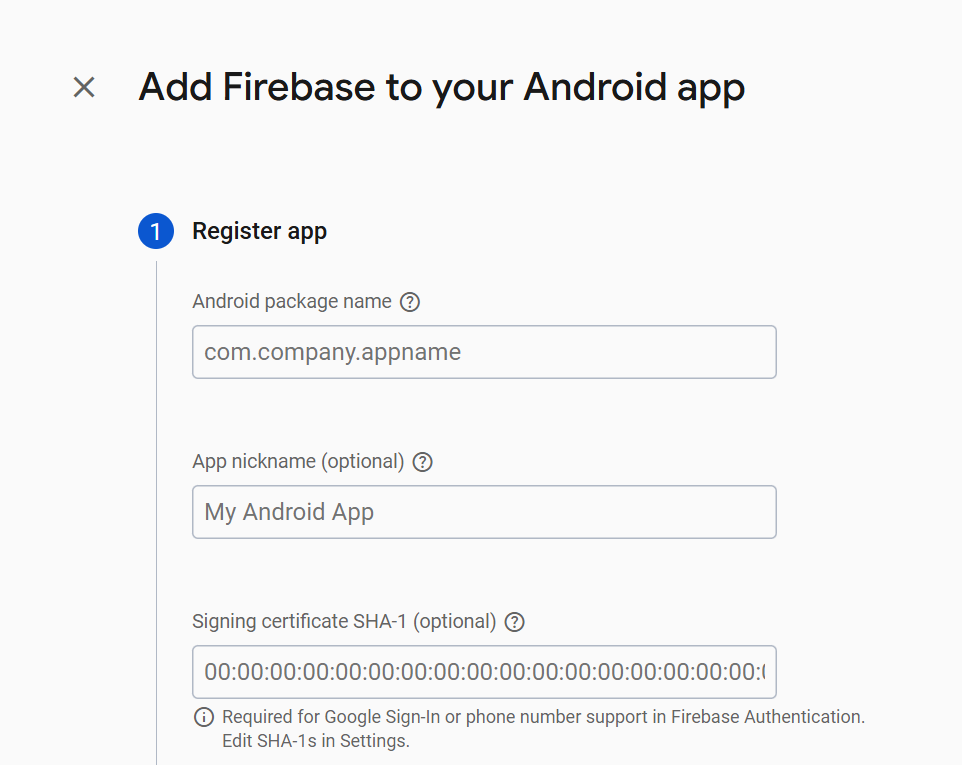
This page will be opened. now we need to go to this directory in our app..
- ➡️ android > app> build.gradle.kts
- from this file we need to copy the applicationId = "com.example.appname"
- then need to put it in the first input field and click on register app button.
Now download the google-services.json file and paste it inside
- ➡️ android > app